
How to Search for a Rogers County Warrant
Know the court before you type a name. A Rogers County District Court case belongs with OSCN and the Court Clerk, and a city ticket belongs to the municipal clerk named on the citation. Federal cases go to the Northern District of Oklahoma. The Sheriff's public warrant page gives a phone and an email. There is no public full-list search form. Follow that order, so an empty search never passes for an answer.
- Read the caption, case number, citation number, and issuing agency on the source paper.
- Search the OSCN Docket Search by case number and select Rogers County or the named court.
- For a city matter, use the official city court route. Claremore’s portal searches citation, name, license, vehicle, or business fields; Verdigris uses a ticket number; Catoosa, Chelsea, and Inola direct the public to a clerk or police contact.
- Call the Court Clerk at 918-923-4961 for docket status, or the Sheriff Warrant Division at 918-342-9798 for service routing. The county Open Records form is better for a defined historical or policy request.
- For federal records, use PACER Case Locator and the federal clerk, then keep the access date and confirmation.
What OSCN’s Rogers County Search Boxes Mean
OSCN gives Rogers County searchers a Case Number field, a County or Court selector, a few extra input boxes, and a Search Dockets button. It also links to Non-OCIS Counties through ODCR, plus Database Scope and help information. The system is case based. There is no warrant-only search. No refresh clock, export, or recall button exists there.
| Field or control | Type | Practical use | Limit |
|---|---|---|---|
| Case Number | Text | Enter the number shown on the document, such as the source example CF-2003-1 | Do not guess a number |
| County or Court | Dropdown | Choose Rogers County or the court named on the record | A wrong court can look like no result |
| Additional boxes | Text inputs | Use only when the live label and document support the entry | Labels were not clear in the inspected page |
| Search Dockets | Button | Run the official case query | No public warrant-only filter was observed |
The blank OSCN interface shows the difference between a docket search and a warrant roster.
What a Rogers County Warrant Search Returns
A Rogers County result is one docket event. It is not a full warrant packet. Read the caption, court, date, event label, and the entries that follow. An entry saying warrant issued records when the event happened. That alone does not prove the warrant is still active; a later recall, quash, appearance, payment, or clerk confirmation settles the question.
| Case number | Connects the docket event to the court file and reduces a common-name error. |
|---|---|
| Warrant number | May be a separate identifier, such as ROGERS-DKT-WARRANT, when the court document shows one. |
| Issuing court | Controls the status question and the proper recall or appearance route. |
| Event date | Separates issue, service, payment, appearance, return, recall, and quash events. |
| Status wording | Active, FTA, served, recalled, quashed, satisfied, or hold needs local explanation. |
Search the Case Before the Name
A name is only a clue. It never proves a Rogers County result belongs to the right person. OSCN works best when you bring a case number and a court to the search. Claremore's municipal portal offers more keys, including name plus date of birth. Warrant details there appear only inside a live record. Never save another person's Social Security number. A common name in Rogers County makes it easy to grab the wrong match. Compare the court, the date, the birth information the office requests, and the citation or case number. If the fields do not line up, call. The Rogers County Court Clerk at 918-923-4961 explains public docket mechanics, not legal strategy.
Safer match rule: A case or citation number ties the search to the right court matter more reliably than a name alone.
Where Rogers County Warrants Are Checked
The Sheriff Warrant / Transportation Division is the Rogers County service contact at 918-342-9798 and warrants@rcsheriff.org. Its page describes an internal active-warrant database. The public gets no search by name, date of birth, case, citation, or warrant number. For a county docket, payment, court date, or recall entry, the Court Clerk is the better route. City courts stay separate. Claremore has a portal and a clerk at 918-341-1325. Catoosa lists its city clerk at 918-266-0801 for municipal matters. Verdigris uses 918-266-0200 for its Police and court route. Chelsea lists 918-789-2557, and Inola Police lists 918-543-8288. These numbers route city questions. They do not merge into one Rogers County warrant search. Federal matters go to the Northern District clerk at 918-699-4700 or PACER. Oklahoma DPS court reporting is limited to authorized institutions, so no public statewide active-warrant portal exists.
The Phone Fallback When OSCN Is Unclear
When OSCN leaves you guessing in Rogers County, pick up the phone with the case or citation number, court caption, full name, and document date. Ask whether the public docket shows a warrant event. Ask whether the court still considers it active. Ask whether a court date or motion is needed, and what entry will confirm a recall. Service questions and county holds go to the Sheriff's Warrant Division, which knows the controlling court. It will not provide transport date or status information. So a transport question is no shortcut to warrant status. If a live portal is down in Rogers County, note the date and use the official phone route. The Sheriff's inmate roster currently reports an outage. That outage shows why a technical state must stay separate from any warrant answer.
Access and Restricted Warrants
Oklahoma Title 51, including §24A.5, lets the public inspect and copy public-body records, subject to exemptions. The rule does not put every record online. A Rogers County request can return a redacted copy or an aggregate answer. Live status still belongs with the issuing court.
Access limits
10A O.S. §1-6-102 generally protects juvenile court records.
51 O.S. §24A.5 supplies the general access rule, subject to exemptions and redaction.
A sealed, investigative, protected, or just-issued matter may not appear in the public interface. Ask the custodian for the reason and any public portion.
Why There Is No Sheriff Roster to Scroll
The official Warrant / Transportation page in Rogers County supplies a phone, an email, a workload statement, and a service description. It shows no search fields. There are no filters, pagination, download, update timestamp, or public status legend. The Most Wanted page is a curated subset behind an accuracy disclaimer. It is not a complete active-warrant database. That absence is useful information for Rogers County readers. Stop looking for a hidden countywide name box. An empty public page does not clear a warrant either, so take a defined record or policy question to the Court Clerk, the issuing city clerk, or a narrow Open Records request.
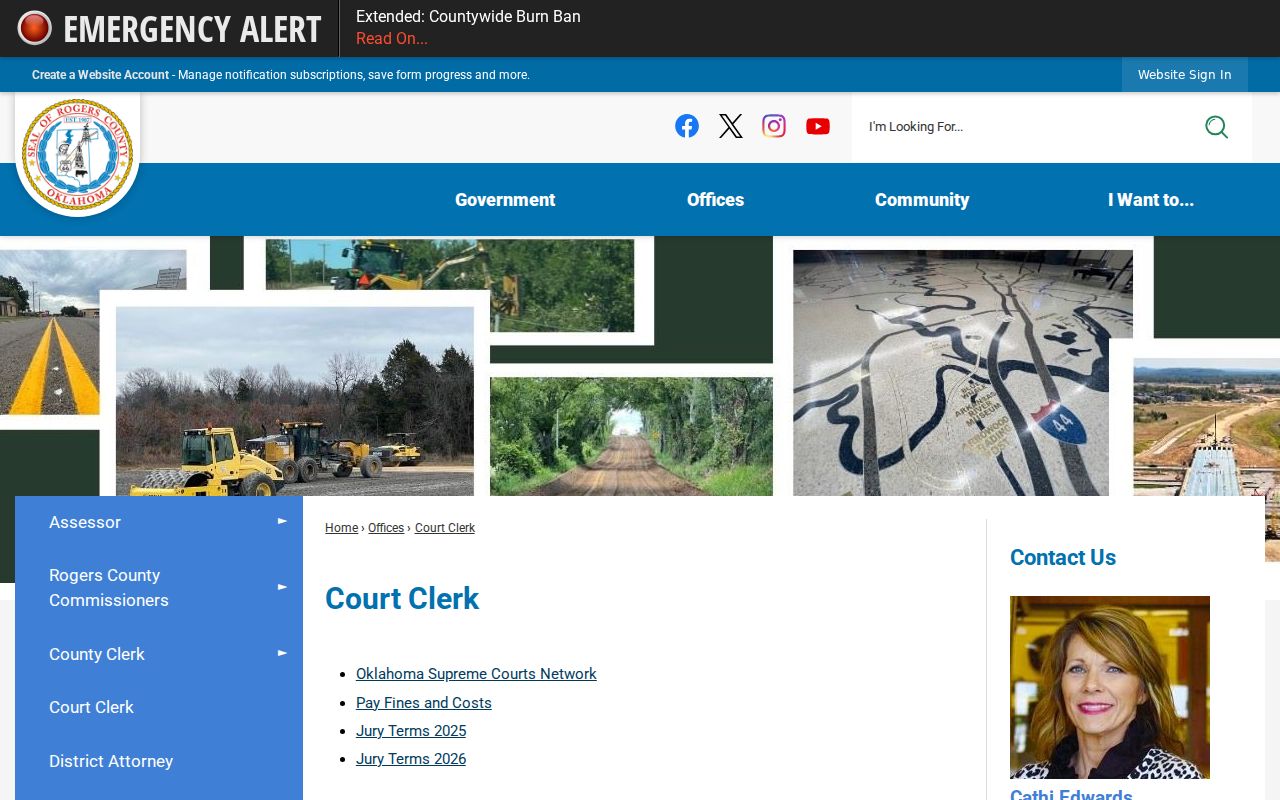
The Court Clerk page connects the county docket and payment routes.
Document a Rogers County Status Check
Build a small paper trail for any Rogers County warrant check. Save the page or portal URL, the court caption, and the case or citation number. Note how you searched and the exact wording of the result. Add the date you accessed it. A saved image with no date or identifier carries little weight. If a clerk answers by phone, write down the office, the date, the next step, and whether a docket entry or written confirmation exists. For older records or policy files, send the Rogers County Open Records form. List the department, date range, record type, and case number if you have it, and say whether you want inspection or copies. Copying fees may apply, and Rogers County sets no fixed dollar amount or response deadline, so ask before copying.
Rogers County Search Terms in Plain English
Local labels matter. Keep the court’s wording and add a short explanation when needed.
- FTA
- Failure to appear, a missed required court appearance that may trigger a warrant.
- Recall
- A court action withdrawing a warrant; look for the docket event or clerk confirmation.
- Quash
- A court action setting aside a warrant or process, with local filing rules to confirm.
- Hold
- A detention or transfer instruction from another authority; ask which agency issued it.
- Most Wanted
- A curated public-safety subset with a Sheriff disclaimer, not a complete active-warrant register.
Skip capias as a search label. Oklahoma courts do not use that word the way some other states do. In Rogers County, the useful terms are bench warrant, FTA warrant, municipal cost warrant, arrest warrant, and warrant.